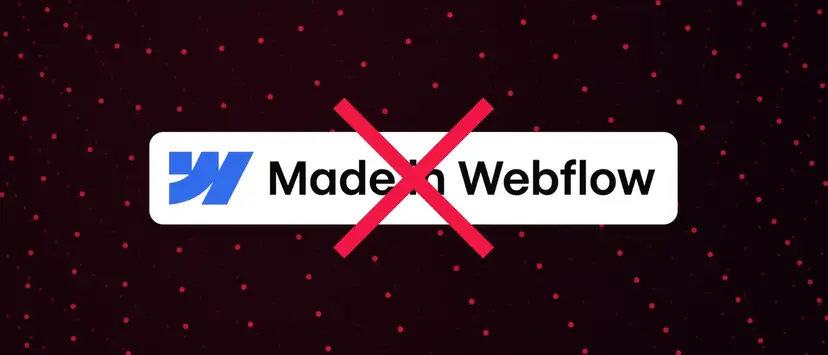
A common question we receive from customers is: “How do I remove that 'Made in Webflow' badge in the footer?” While it serves as a subtle nod to the platform you've chosen, sometimes it doesn't quite align with your brand's vision. So, if you're looking for a more streamlined look, you've come to the right place.
Let's be clear: remove the “Made in Webflow” badge it's a premium feature. It's a benefit offered to those who subscribe to a paid Webflow account. Attempting to remove it using custom code or other alternative solutions is against Webflow's terms of service and may cause problems with the account. We, as Webflow experts, always advise against such practices. Respecting the platform that empowers us is crucial.
How do you remove “Made in Webflow”?
It's incredibly simple:
- Update your Webflow account: This is the key. You'll need to upgrade to a paid site plan (Lite or Pro) or an account plan (Team or Enterprise). The specific plan you choose depends on your website's needs and traffic.
- Navigate to your site settings: Once you've upgraded, log in to your Webflow account and go to the project settings for the website you want to modify.
- Find the “General” tab: Within your project settings, you'll find a tab labeled “General”. Click on it.
- Disable the badge: Within the “General” settings, you'll see an option related to the “Made in Webflow” badge. It's usually a simple toggle switch. Deactivate it.
- Post your changes: After you deactivate the badge, remember to post your changes. This will send the updated version of your website live, without the badge.
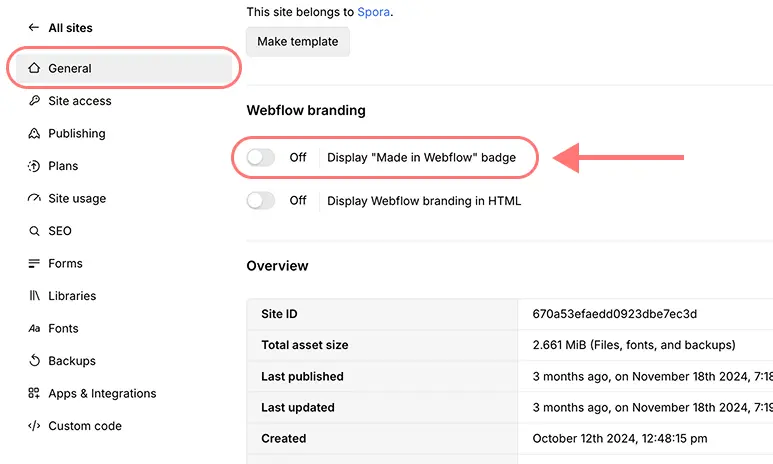
In the general settings of your website you will find this switch (once your plan is registered)
To remove the “Made in Webflow” you will have to pay
In addition to being the unique Legitimately, upgrading your Webflow account unlocks a lot of benefits. You get access to custom domains, increased hosting capabilities, form submissions, and more. It's a worthwhile investment in your online presence.
Do you need help with your Webflow website?
If you're feeling overwhelmed by the technical aspects of Webflow or simply want to elevate the design and functionality of your website, our team at HAKI is here to help. As design and development experts, we can help you with everything from initial configuration and design to ongoing maintenance and optimization. We understand the complexities of the platform and can help you realize its full potential. Whether you need an impressive new website or just a few tweaks, check out information about our service Webflow development.
Removing the “Made in Webflow” badge is just one small piece of the puzzle when it comes to creating a professional online presence. We're here to help you build a website that not only looks great, but also generates results.